
Rescheduling a lesson
If you need to reschedule a lesson, it is your responsibility to remove the class from your schedule in LivePrep. Here is the full procedure.
1. Open the lesson in LivePrep
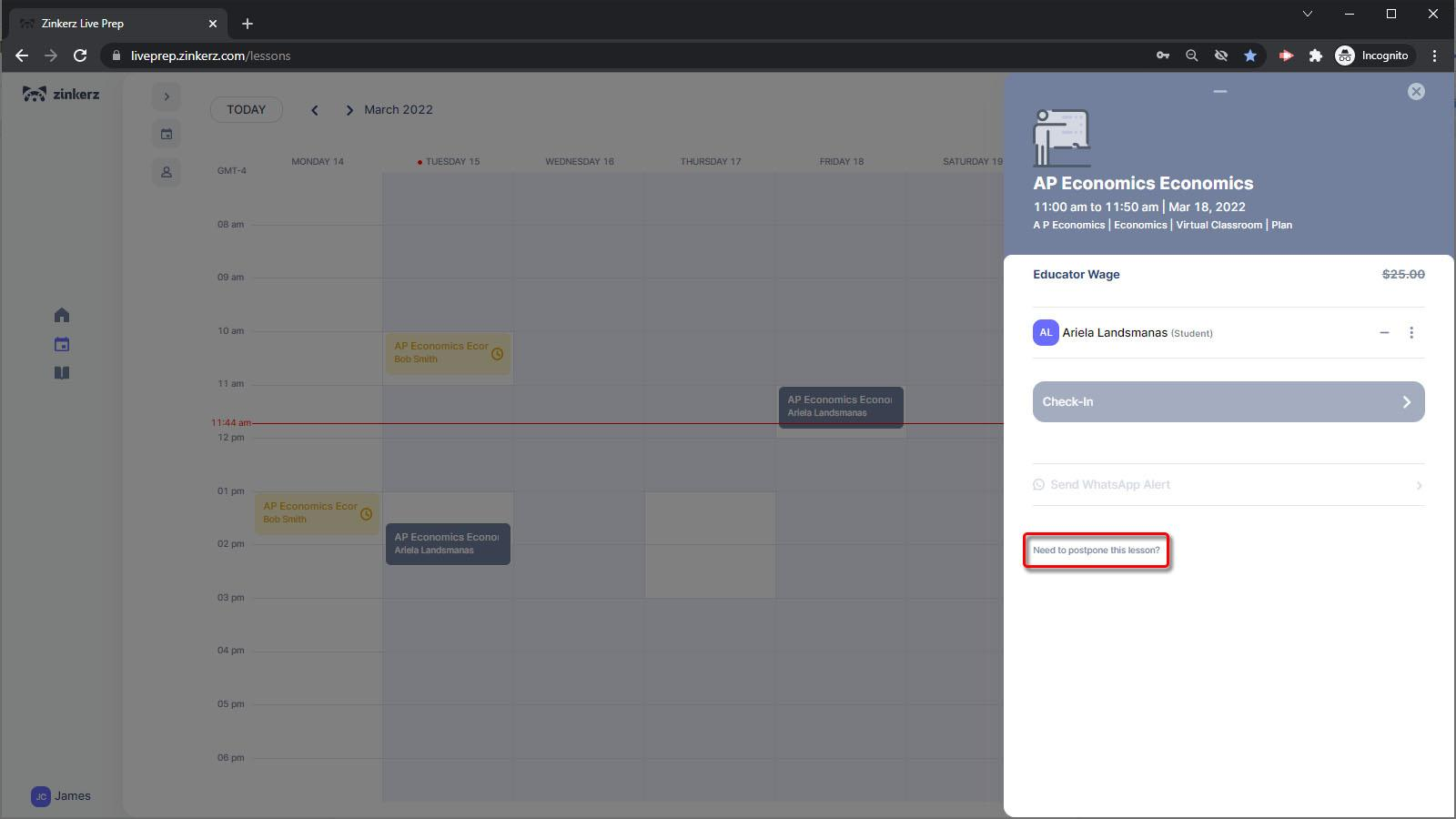
Go to your LivePrep Calendar and click on the class you want to reschedule. At the bottom of the lesson popup, click Need to postpone this lesson?
2. Confirm the postpone
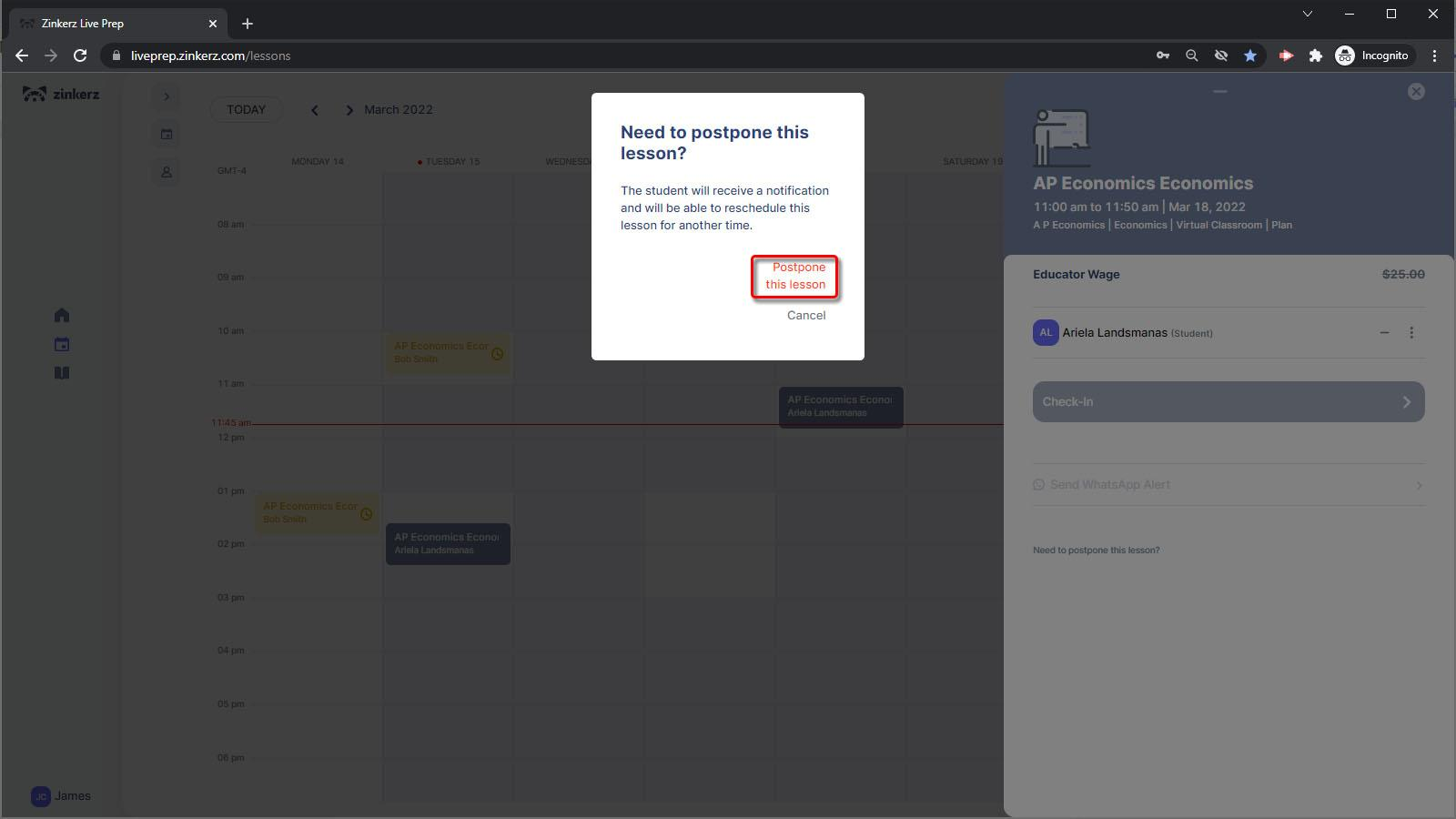
A popup will appear asking you to confirm. Click Postpone this lesson to remove the class from your schedule and place it in the student's Pending List. The student will automatically be notified that the lesson has been removed and will be able to reschedule it at any of your available times.
If the platform does not allow you to remove the class due to the Lesson Cancellation limit, contact the Support WhatsApp for assistance.
3. Update your temporary availability
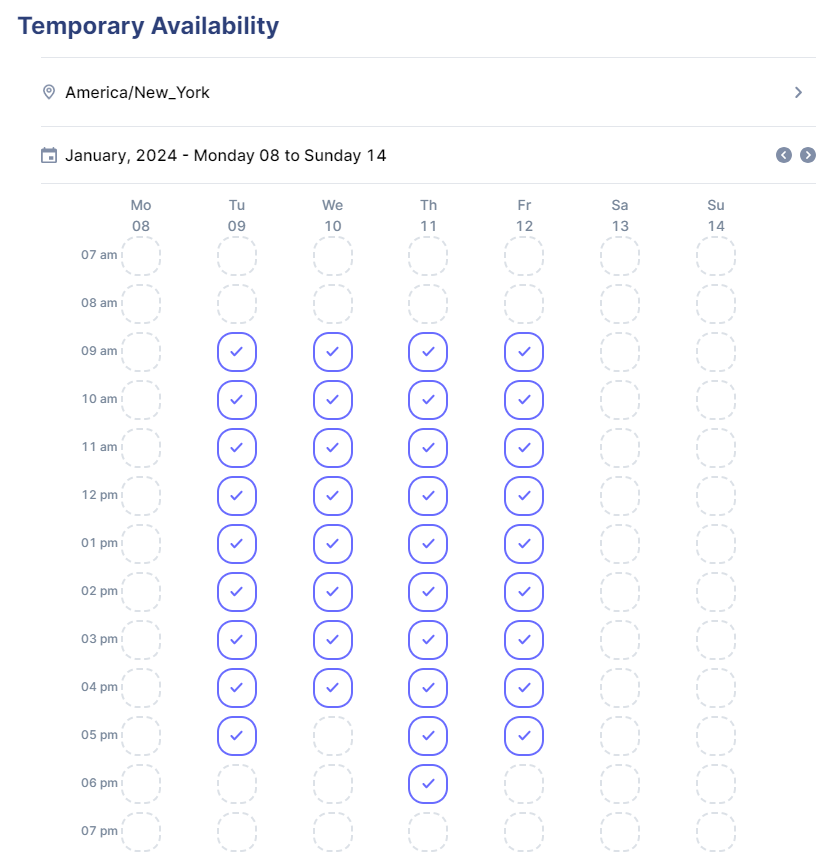
After removing the lesson, block off that time in your Temporary Availability so other students cannot schedule a class at that time.
Need a refresher on updating your availability? See Calendar & availability in the Getting Started section.