How to use the ISEE spreadsheet
TAB: Student Calendar
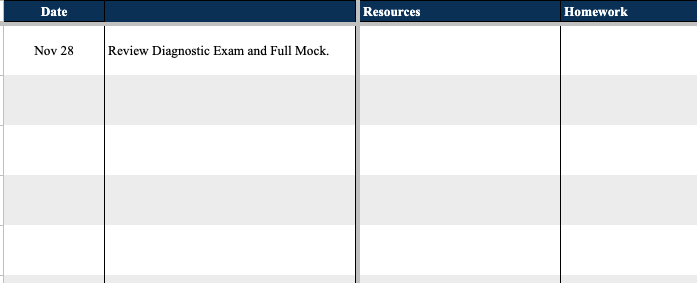
After every lesson: Lesson Date, Topics Covered, Resources (from Practices tab), Homework assigned, Student Notes (visible to student), and Internal Notes (Zinkerz staff only).
TAB: Full Mocks
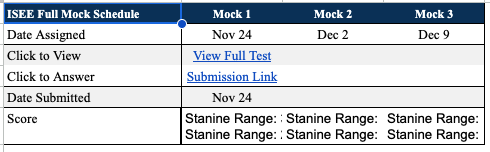
Assign a Full Mock every 3 weeks by adding a Date Assigned — student cannot access the document until that date. After submission, view stanine range (1–9), scaled scores, raw scores, all correct answers, and student responses.

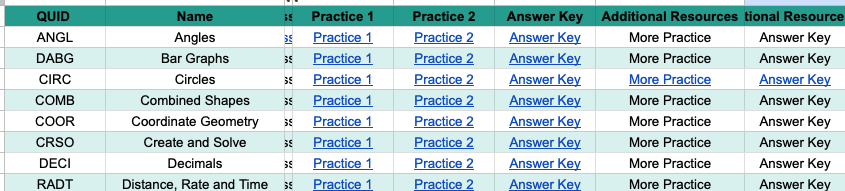
TAB: Practices
Find practice sets organized by topic. When assigning in class or for homework, place the link in the Student Calendar tab. Do not paste links directly here.


TAB: Mocks
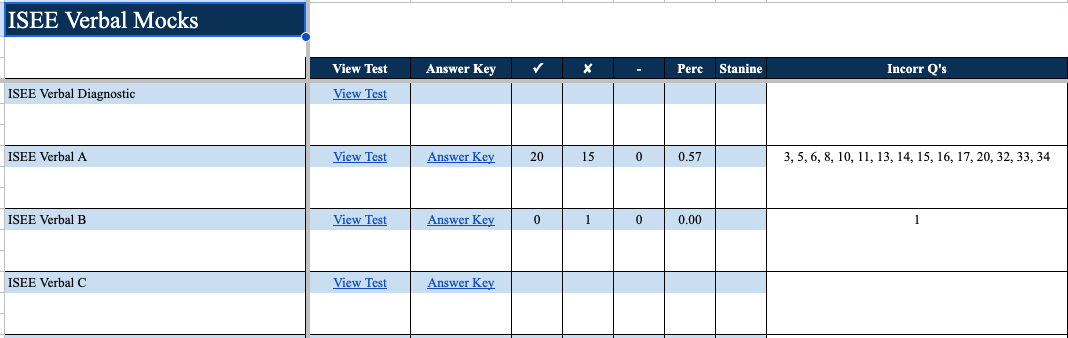
Use to assign mock homework. Students can access these (unlike practices). Add a Due Date to assign. Scores and incorrect answers auto-populate after submission.
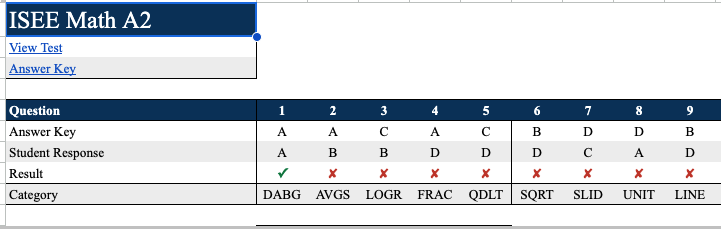
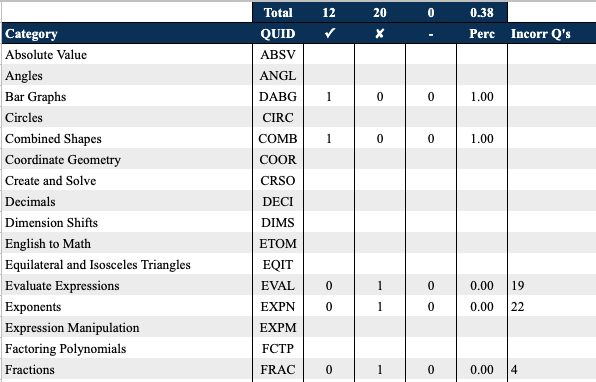
TAB: Mocks Answers (Math / Verbal / Reading)
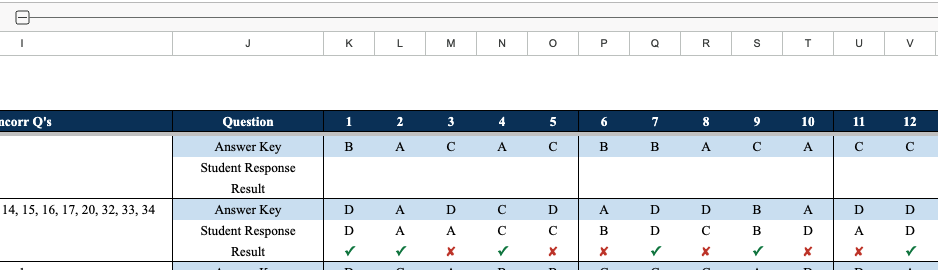
Go to the specific tab for each test to see the exam, answer key, and student responses. Scroll down to see a breakdown by category — use this to determine which practice sets to assign next.