How to use the Duolingo spreadsheet
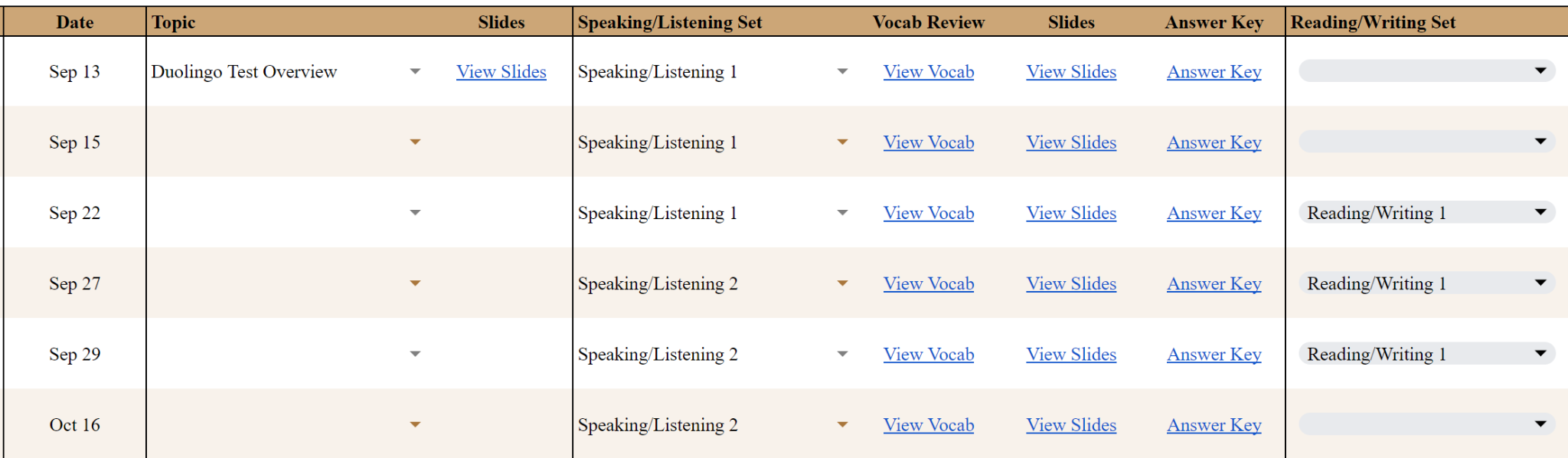
TAB: Student Calendar (named after the student)
After every lesson, fill in the date and materials covered.
Speaking/Listening Sets: Select from the dropdown — this auto-populates vocabulary, slides, and answer key.
Reading/Writing Sets: Select from dropdown, then go into the student's Reading and Writing Sets document (linked top-left of spreadsheet) to complete exercises.
Conversation Practice Sets: Go directly to the Syllabus tab.
Alternate between exam areas to give each section equal focus.
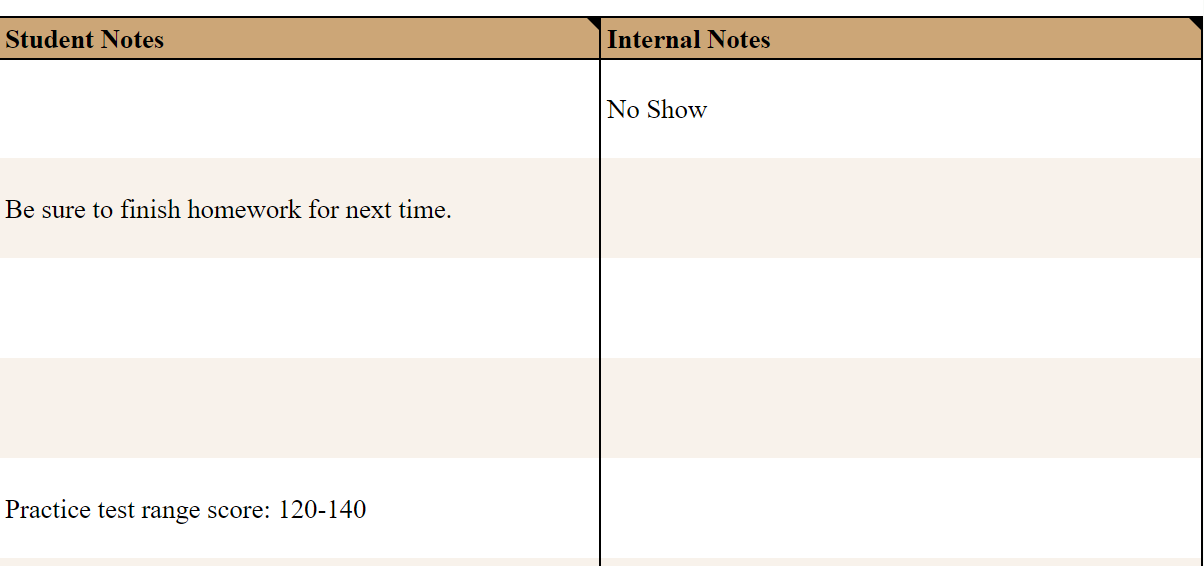
Student Notes: Optional — visible to the student.
Internal Notes: Optional — for yourself or Zinkerz staff only, not visible to the student.

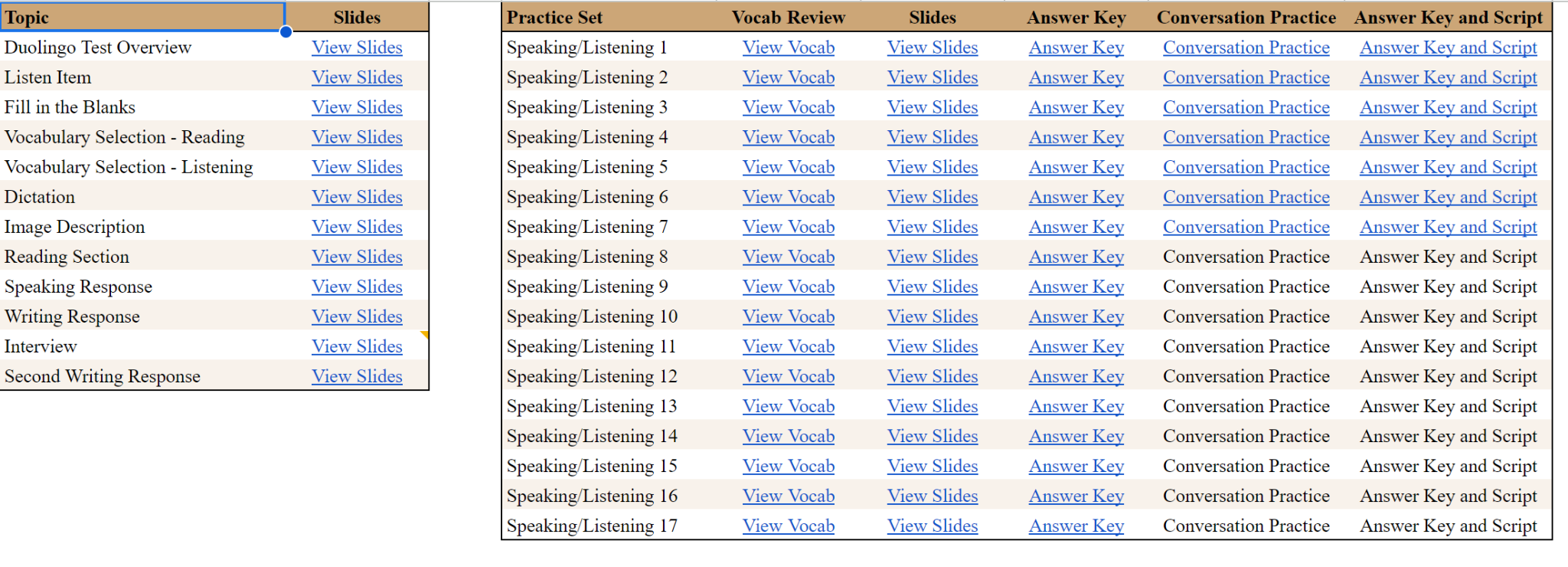
TAB: Syllabus
All material linked on individual student tabs is consolidated here. Conversation practice sets are also linked here for use in class.