How to use the AP Pre-Calc spreadsheet
This guide covers how to use the AP Pre-Calc spreadsheet as a Lecturer or Recitation teacher.
If you are a Lecturer
TAB: Syllabus
For every class, list the date and topic, and link the slides and video of each section.

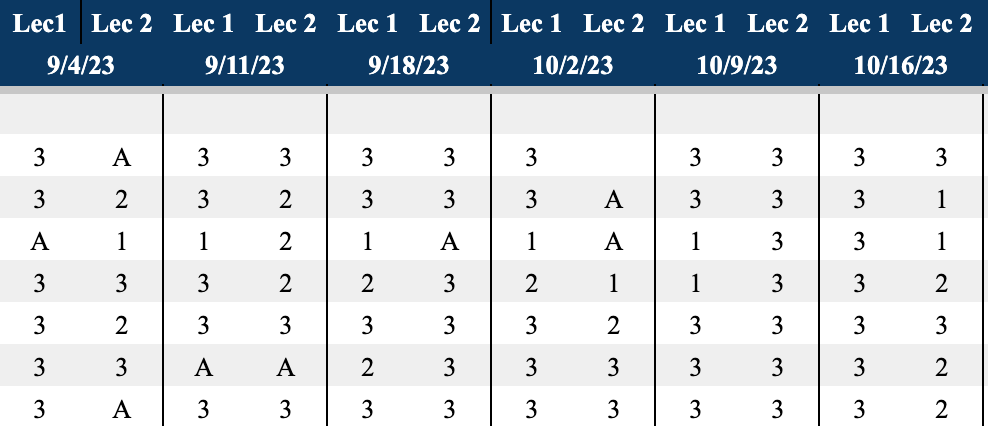
TAB: Lecture Participation
After every class, evaluate each student on a scale of 1–3 based on engagement and participation. Mark A for absent.
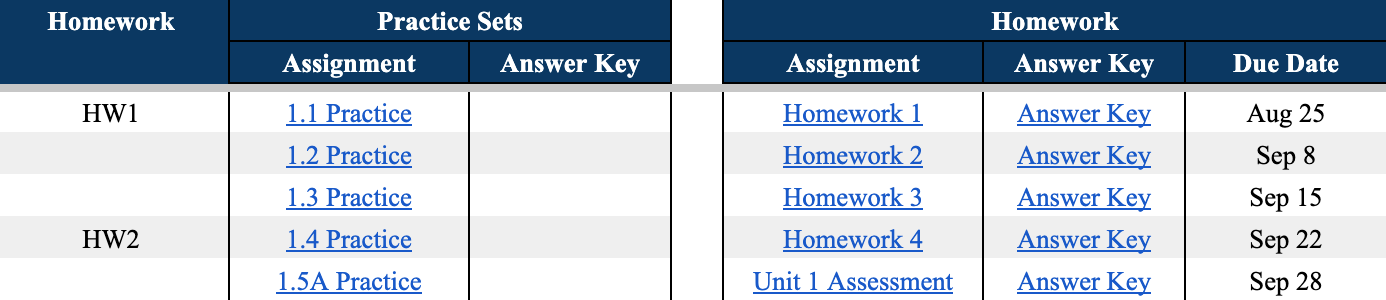
TAB: Assignments
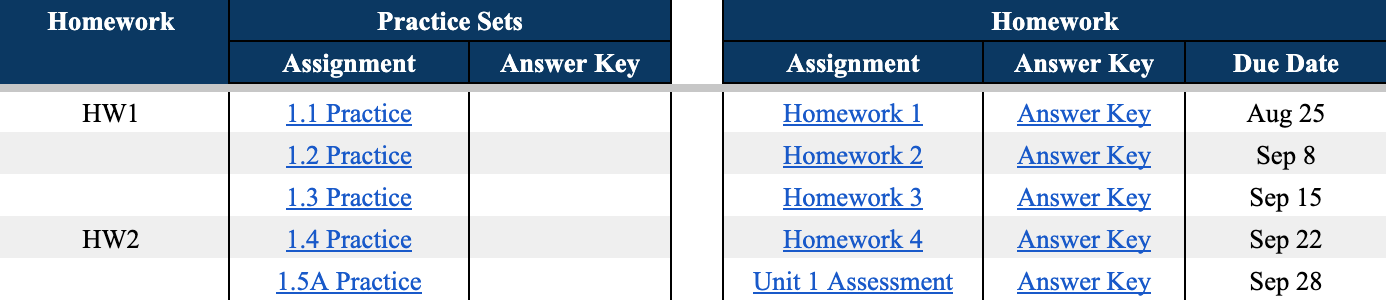
Practice Sets: See all extra practice sets aligned to homework topics. Answers listed at the end of each set. Homework: Access all practice sets and answer keys — answer keys are not visible on individual student tabs.
If you are a Recitation teacher
TAB: [Student Name] tab
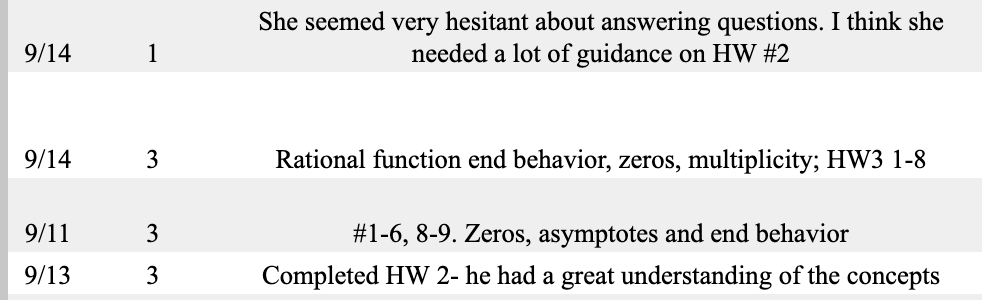
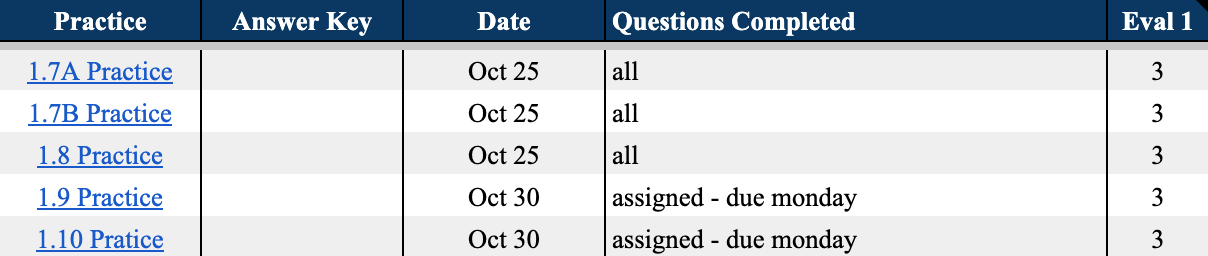
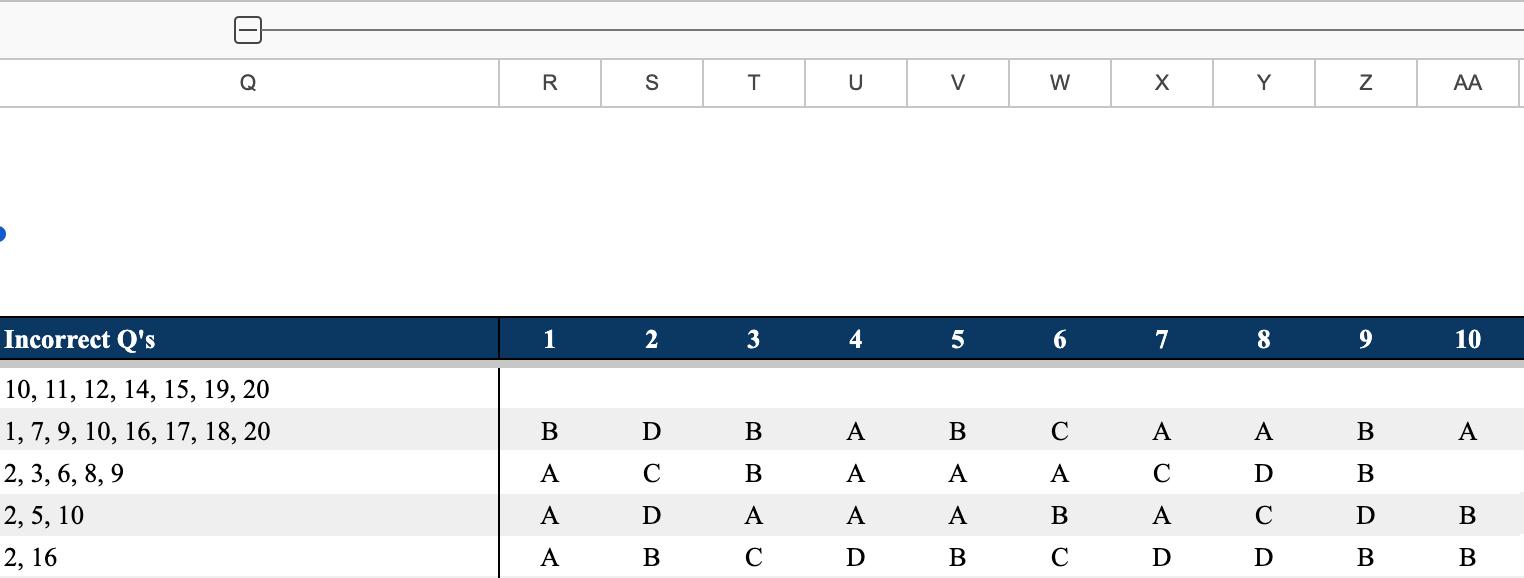
Lecture Material: See what the student covered in lecture. Practice: Work on extra practice problems by section. Mark the date, questions completed, and evaluation 1–3 based on proficiency. Homework: See assigned homework and formal assessments (auto-graded). Guide students on unfinished work and review incorrect problems. Expand column Q to see how they answered.




TAB: Recitation Participation
In the next available column, record the date of lesson, evaluation 1–3, and material covered.